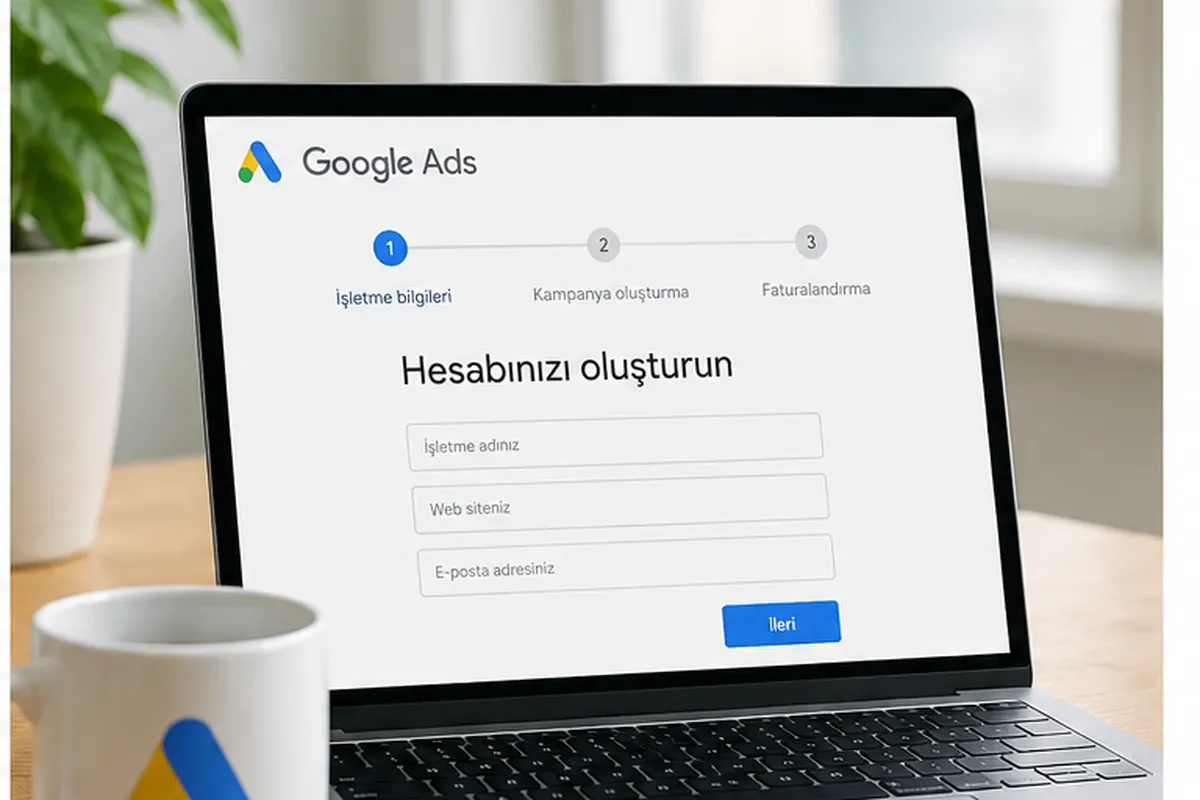
How to Set Up a Google Ads Account: A Step-by-Step Setup and Management Guide
To set up a Google Ads account, sign in with a Google account at ads.google.com. Then select the billing country, time zone, and currency, create a payments profile, and configure your campaign settings. Setting up Conversion Tracking before launching ads is also important for accurately measuring campaign performance.
However, simply opening an account is not enough to run successful campaigns. Billing information must be configured correctly, the target audience must be identified, a keyword strategy must be developed, and conversions must be measurable.
In this guide, we cover the key stages to consider, from setting up a Google Ads account to managing campaigns.
Creating a Google Ads Account and Initial Settings
You need a Google account to start using Google Ads. This account does not necessarily have to use a Gmail address; you can also use another email address linked to a Google account.
Using an account created in the business's name or one designated for corporate operations can help ensure more organized access control and account management.
Signing In and Setting Up Your Account
After signing in to the Google Ads platform, you can start the account creation process. During setup, you may be asked to provide information such as your business name, website, and advertising goals.
When creating an account, it is also important to choose the correct destination for users who click on your ads. For example, if you are advertising a specific service, directing users straight to the relevant service page may be more appropriate than sending them to the general homepage.
A landing page that aligns with the ad content, works well on mobile devices, and loads quickly helps provide a better user experience. To see why load time matters, read our article Does Your Website Load in 3 Seconds?.
Setting Up Billing and Business Information
When creating a Google Ads account, you should carefully select the billing country, time zone, and currency. These settings affect payment processes and how campaign reports are evaluated. Since some account settings cannot be changed later, it is important to make the right selections from the beginning.
Available payment options may vary depending on the billing country and payments profile. Credit cards, debit cards, and other payment methods may not be available for every account. Options such as Automatic Payments and Manual Payments should also be considered based on the alternatives offered by the account.
Once the account setup is complete, review the payments profile and billing information before moving on to campaign preparation.
Defining Your Target Audience and Campaign Types
When creating a Google Ads campaign, you need to determine who will see your ads, in which locations, and under what conditions. Geographic location, demographic characteristics, user behavior, and audience segments relevant to the campaign type can all be used in targeting.
For example, a business that only provides services in Ankara may waste its budget by targeting all of Türkiye. In contrast, an e-commerce business that sells to customers in multiple cities may benefit from broader geographic targeting.
Effective targeting should be developed by considering both the business's service area and the campaign's objectives.
Search Campaigns
In Search Campaigns, ads can appear in response to users' searches on Google. Keywords are among the primary targeting elements used to reach users based on their search intent.
Google Ads offers three main Keyword Match Types:
• Broad Match
• Phrase Match
• Exact Match
These options affect which search queries can trigger your ads. Choosing the right match type requires evaluating campaign objectives alongside actual search data.
To explore keyword match types and their use cases in more detail, read our article Google Ads Keyword Match Types: When Should You Use Each?.
Display and Video Campaigns
Businesses that want to promote their brands, products, or services through visual content can use Display Network campaigns. Ads can appear on various websites and apps within Google's available advertising inventory.
Video Campaigns, on the other hand, help businesses reach users on YouTube and eligible video ad placements.
For these campaign types, images, videos, and ad copy should be prepared in line with the campaign's objectives. Goals such as brand awareness, product consideration, or conversions should guide the choice of ad format.
Developing a Keyword Strategy
One of the most important stages of setting up Search campaigns is selecting the right keywords. Google Keyword Planner can help advertisers review estimated search volumes, competition levels, and bidding data.
However, building a campaign structure based solely on high-volume keywords is not the right approach. User Search Intent, the services offered by the business, and conversion potential should all be considered together.
Some more specific searches may help reach users who are more relevant to the business, while certain high-volume keywords may not deliver sufficient value.
Using Negative Keywords
Negative Keywords help prevent ads from appearing in searches that are irrelevant to the business's objectives.
For example, a business that only offers paid services may not want to target users searching for free services. In this case, terms such as "free" can be added as negative keywords when appropriate for the campaign's objectives.
However, there is no single negative keyword list that works for every business. Actual user search queries (Search Terms) should be reviewed regularly to identify terms that are not relevant to the business.
To learn how negative keywords are identified and how they help protect your campaign budget, read our article Negative Keywords in Google Ads: How to Protect Your Advertising Budget?.
Reviewing Competitors' Campaigns
Reviewing the advertising approaches of other businesses in your industry can help you understand how the market communicates with its audience. Auction Insights in Google Ads can provide insights into competitors' ad visibility and the competitive landscape.
Although reviewing competitors' ad messaging can be useful, businesses should develop their own Value Proposition rather than directly copying other advertisers' content.
Benefits such as free shipping, fast delivery, or flexible payment options should only be included in ad copy if the business actually offers them. A clear and accurate Call to Action (CTA) also makes the offer presented to users easier to understand.
Quality Score and Improving Ad Performance
In Google Ads Search campaigns, Quality Score is a diagnostic metric displayed at the keyword level on a scale from 1 to 10. It is not a performance score directly used in the auction and does not determine ad rankings on its own.
Quality Score consists of three main components:
1.Expected Click-Through Rate
2.Ad Relevance
3.Landing Page Experience
These indicators help advertisers identify areas where improvements may be needed.
Ad Copy and Relevance
Ad copy should align with the user's search intent and the content of the ad group. For example, showing an ad promoting a different product category to someone searching for running shoes may weaken the ad's relevance to the search.
It is important to present a clear value proposition, accurately describe the product or service, and avoid misleading statements in ad copy.
Landing Page Speed and User Experience
Being able to find the information they are looking for easily is an important part of the landing page experience for users who click on an ad. The page should be relevant to the ad content, easy to use on mobile devices, and technically reliable.
Improving page speed and layout matters not only for Google Ads performance but also for the overall user experience.
Ad Assets and User Experience
Many of the elements previously known as Ad Extensions in Google Ads are now referred to as Ad Assets in current terminology. These assets can provide additional information within ads and help users learn more about a business.
Location and Call Assets
Businesses with physical stores or offices can benefit from Location Assets. These assets display the business address and, where available, make it easier for users to access directions and location information.
Call Assets can help users contact a business directly through its ad.
However, these assets should not be expected to appear every time an ad is shown. Google Ads may determine which assets to display based on the auction and user context.
Sitelink Assets
Sitelink Assets allow users to access relevant pages, such as products, services, contact information, or promotions, directly from an ad instead of having to visit the homepage first.
For example, a business can add links to its services and contact pages to its ad. This can help users reach the section they are looking for more quickly.
It is important to ensure that sitelinks lead to pages relevant to the ad content and provide genuine value to users.
Google Ads Budget and Bidding Strategy
In Google Ads campaigns, the budget and Bidding Strategy should be determined according to the campaign's objectives. A business aiming to increase website traffic may not need the same bidding strategy as one focused on generating sales or form submissions.
The following factors should be considered together when setting a budget:
• Competition level in the industry
• Cost per click for targeted keywords
• Geographic targeting
• Expected number of conversions
• The business's sales and profitability goals
To understand how bids and budgets work together, read our article How Google Ads Works and Campaign Mechanics.
Maximize Clicks
Maximize Clicks is an automated bidding strategy focused on generating as many clicks as possible within the specified budget.
Its primary goal is to drive traffic to a website. However, attracting more visitors does not automatically mean generating more sales or acquiring more customers.
Traffic quality, the landing page, and the conversion process should also be evaluated. If the main objective is to generate sales or leads, conversion-focused bidding strategies may be more suitable.
Conversion-Focused Bidding Strategies
Conversion-focused bidding strategies optimize campaigns based on defined conversion goals rather than focusing solely on the number of clicks.
Target CPA helps advertisers set an average cost target for the conversions they want to achieve. This value does not represent a strict maximum cost for each conversion. The actual cost of individual conversions may be above or below the target.
For businesses such as e-commerce stores, where conversion value is important, strategies such as Target ROAS or Maximize Conversion Value may also be considered.
For these strategies to work effectively, conversion tracking must be set up reliably before the campaign starts collecting data.
Remarketing and Data Segments
Remarketing is a method that allows businesses to show ads again, where applicable, to users who have previously interacted with their website or app.
In Google's current terminology, structures that were commonly referred to as Remarketing Lists are now called Data Segments in many sections of the platform.
Segments related to website visits can be created using the Google Tag or an appropriate measurement setup. Where permitted by the campaign type and Google's privacy policies, these segments can be used for remarketing.
User consent, data collection conditions, and privacy requirements must be taken into account throughout this process. Not every website visitor can or should be targeted through remarketing.
Retargeting Users Who Abandon Their Shopping Carts
On e-commerce websites, users who add products to their shopping carts but do not complete their purchases can be included in specific segments, provided the relevant data and privacy requirements are met.
Methods such as Dynamic Ads can be used to remind these users about the products they viewed or present them with relevant offers.
However, it should not be assumed that every user who adds a product to their cart will eventually complete the purchase. The success of remarketing activities should be evaluated based on conversion data and campaign costs.
Professional Google Ads Management with mysatech
Managing Google Ads campaigns effectively involves more than simply publishing ads. Keywords must be selected, target audiences defined, conversions measured, and advertising traffic regularly analyzed.
Recognized with the 2025 Young MUSIAD Golden Container Award for Service Exports and operating as a Google Partner, mysatech provides businesses with Google Ads management and digital solutions through its Ankara-based technology and digital marketing team.
Campaign performance is evaluated not only through click numbers but also through phone calls, form submissions, sales, and other conversions defined by the business. This makes it possible to analyze how closely advertising performance aligns with the business's actual objectives.
Invalid or suspicious clicks are another issue that can affect advertising campaigns. This type of traffic may lead to inefficient use of the advertising budget.
mysatech's Fake Click Prevention Program can help analyze suspicious click behavior and reduce the impact of this type of traffic. However, no system can guarantee that all fake clicks will be blocked or that an advertising budget will be completely protected.
To learn what you can do when invalid clicks are charged to your account, read our article How to Get a Refund for Invalid Clicks in Google Ads?.
mysatech also provides digital solutions tailored to businesses' needs in web and mobile app development, e-commerce, SEO, ERP, and CRM.
Conclusion
Creating a Google Ads account is the starting point for digital advertising activities. However, successful campaigns require accurate account configuration, clearly defined target audiences, appropriate keyword selection, and properly configured conversion tracking.
Budgets and bidding strategies should also be aligned with campaign objectives, while ad performance should be analyzed regularly. This makes it possible to identify and implement necessary improvements based on the data collected.
If you would like to set up your Google Ads account, evaluate your existing campaigns, or manage your advertising activities more effectively, you can contact mysatech.
Frequently Asked Questions
When creating a Google Ads account, payment systems, advertising budgets, and the ad approval process are among the most frequently discussed topics. Below, we answer common questions about account setup.
Does It Cost Money to Open a Google Ads Account?
There is no separate account creation fee for opening a Google Ads account. Advertising costs depend on the campaign type and pricing model used.
Under the Cost Per Click (CPC) model, advertisers may be charged for clicks, while under the Cost Per Mille (CPM) model, charges are based on ad impressions. Video campaigns may also offer pricing options based on views or interactions.
What Should the Daily Google Ads Budget Be?
There is no single daily advertising budget that works for every business. Factors such as industry competition, the cost of targeted keywords, geographic targeting, and the expected number of conversions all influence budget decisions.
A local business and an e-commerce company selling across Türkiye may have very different budget requirements. For this reason, the budget should be reviewed regularly in line with campaign performance and business objectives.
Google Ads uses an Average Daily Budget for most campaigns. Depending on traffic levels, spending may exceed the average daily budget on certain days. For most campaigns, the daily spending limit is calculated as twice the average daily budget, while the monthly spending limit is calculated as 30.4 times that amount.
How Long Does It Take for Google Ads to Approve Ads?
Ads created in Google Ads are reviewed for compliance with advertising policies before they can be published.
Google states that it completes most ad reviews within one business day. However, more complex reviews may take longer.
Therefore, it cannot be guaranteed that ads will be published within a few minutes or exactly 24 hours. Ad copy, destination URLs, and the assets used must comply with Google Ads policies.
You can monitor the review status through the Google Ads dashboard.
Why Might Google Ads Campaigns Fail to Deliver Expected Results?
Incorrect targeting, irrelevant keywords, unsuitable bidding strategies, inaccurate conversion measurement, or landing pages that do not match user expectations can negatively affect campaign performance.
For this reason, evaluating campaigns based solely on click numbers is not sufficient. Search terms, conversions, costs, and user experience should all be reviewed together.
To understand which campaign mechanics shape results, read our article How Google Ads Works and Campaign Mechanics.